Wind that follows your telemetry.
SimWind turns the speed of your car into airflow at your rig. Up to six fan channels on an ESP32, driven by live telemetry from the simulator, with a response you shape yourself.
- Free
- Windows & macOS
- ACC · LMU · iRacing
One lap, start to finish.
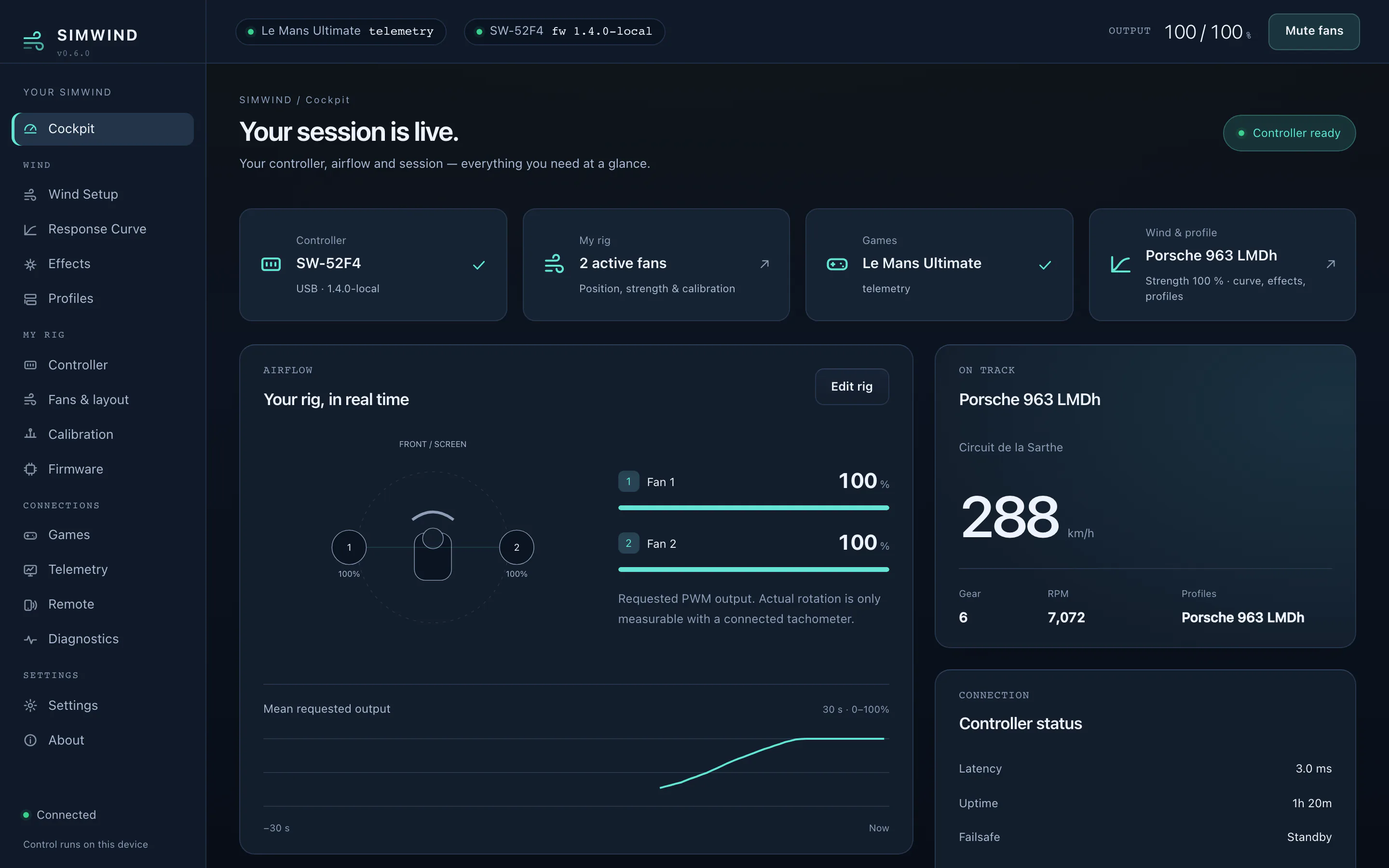
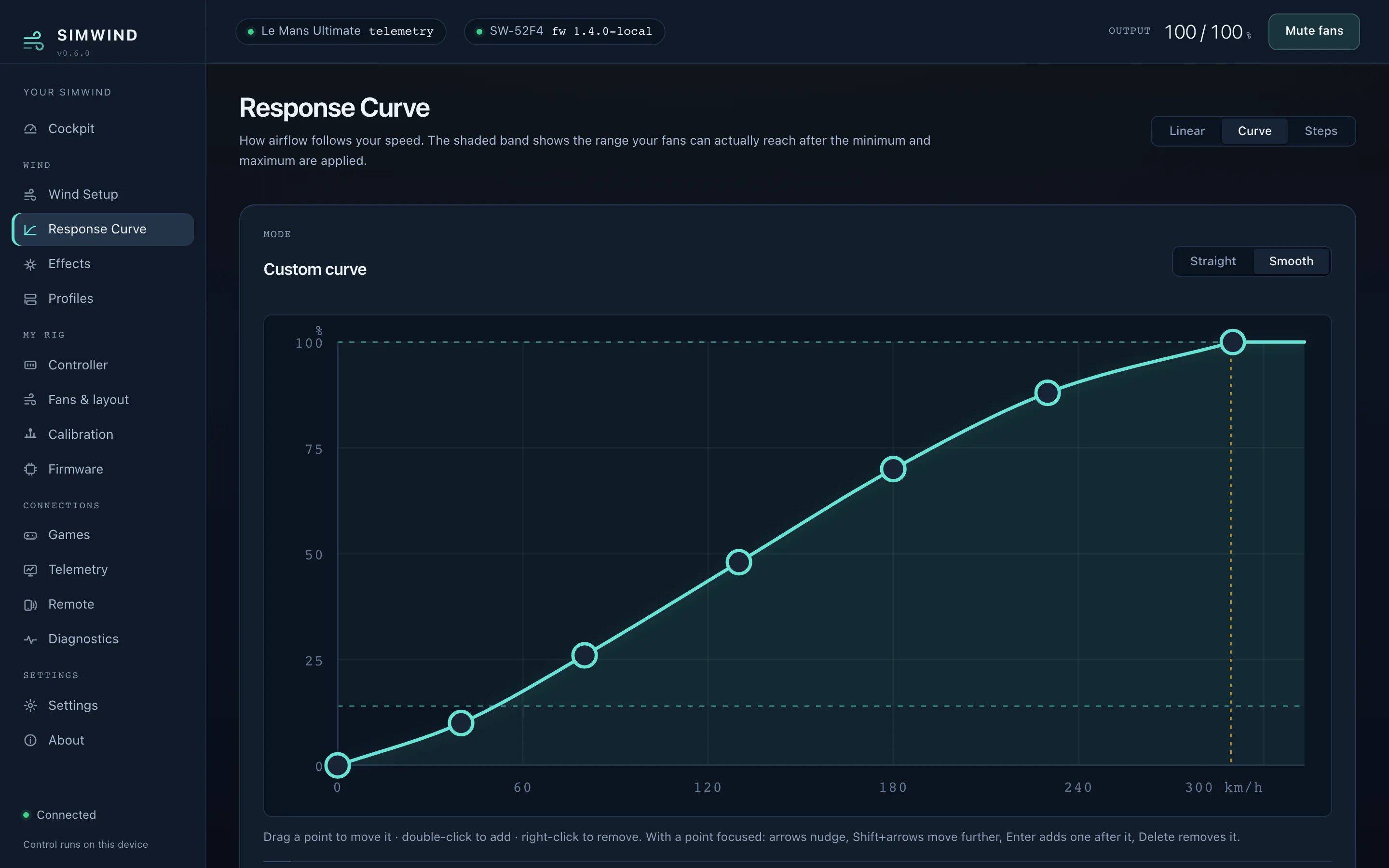
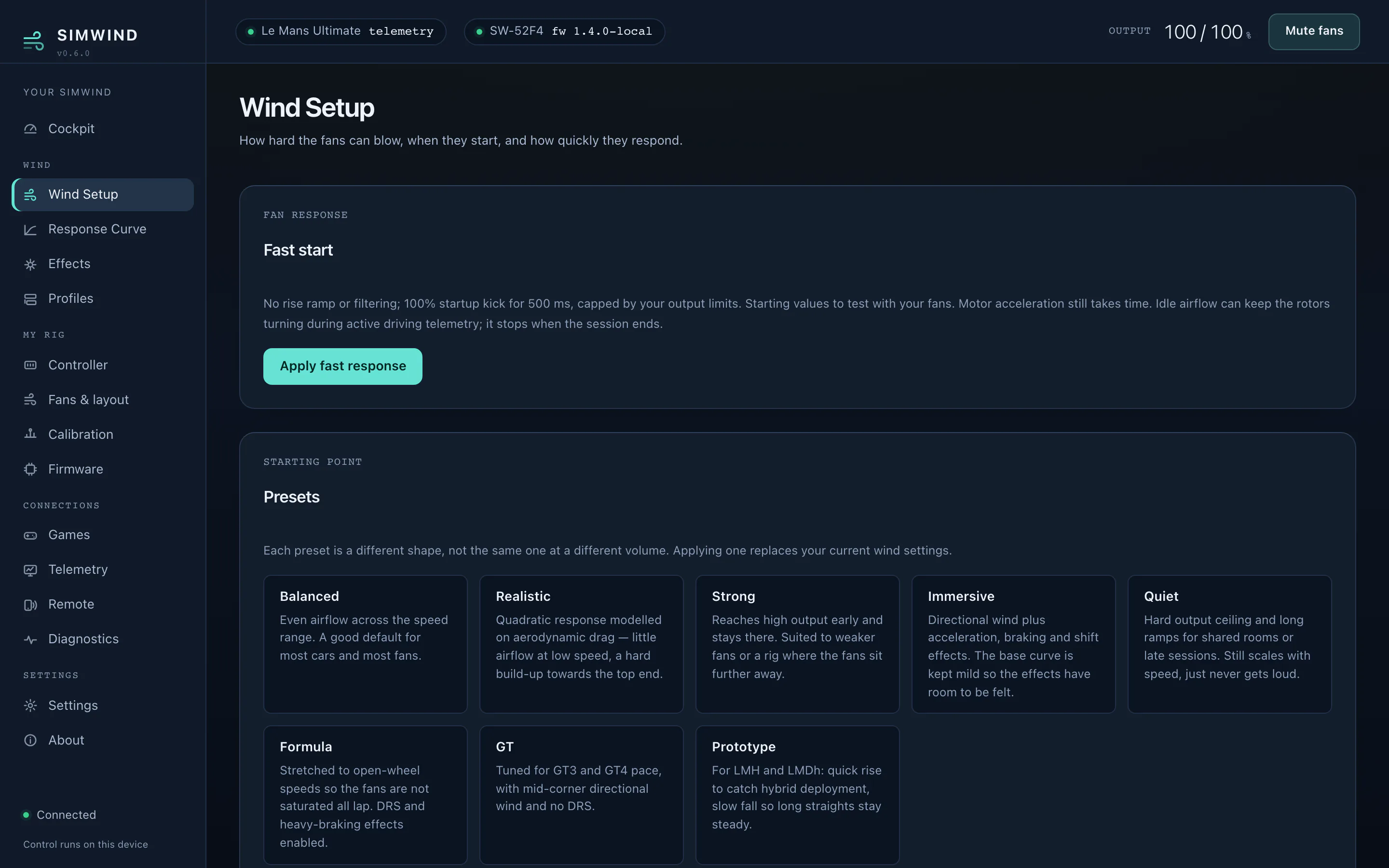
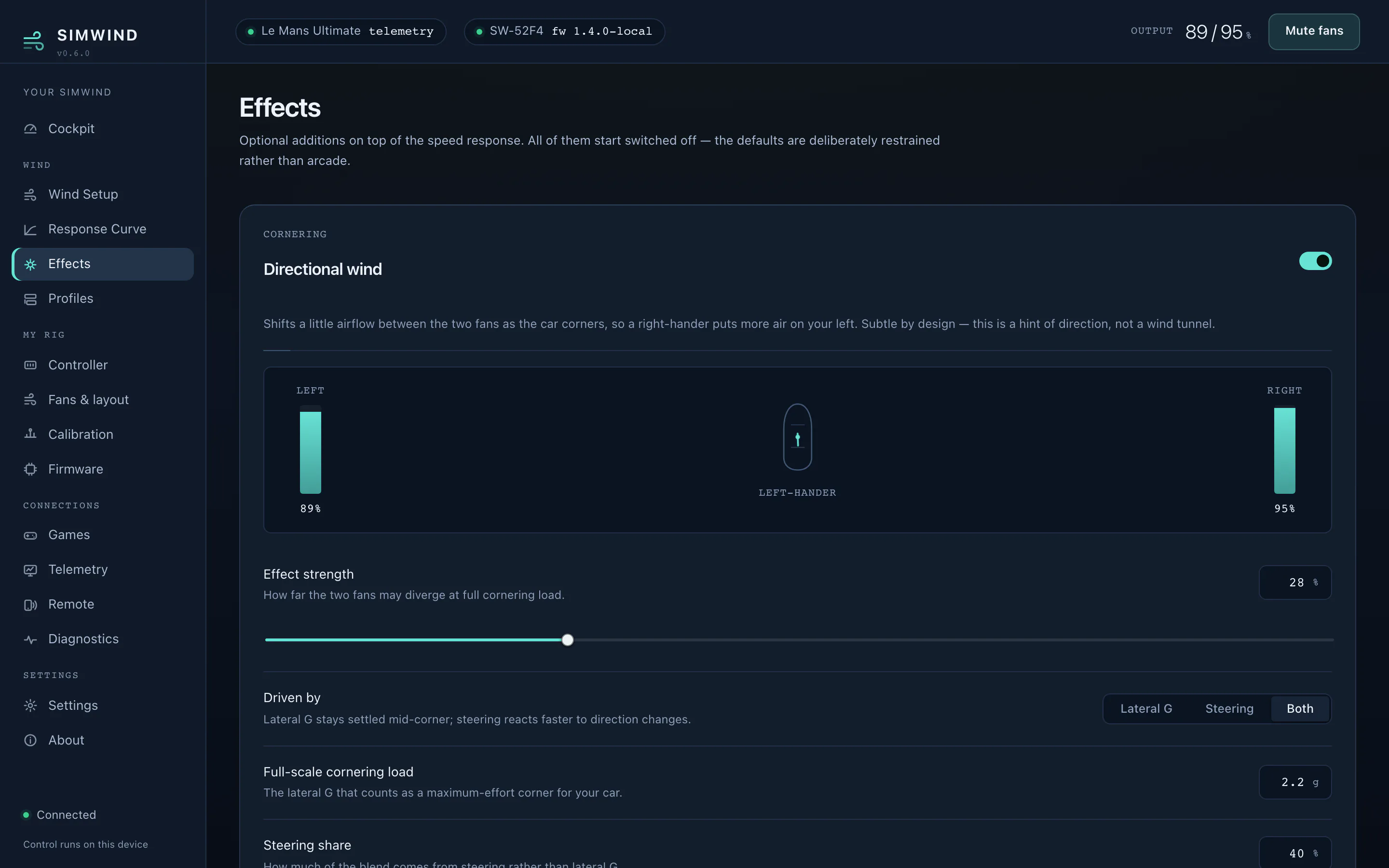
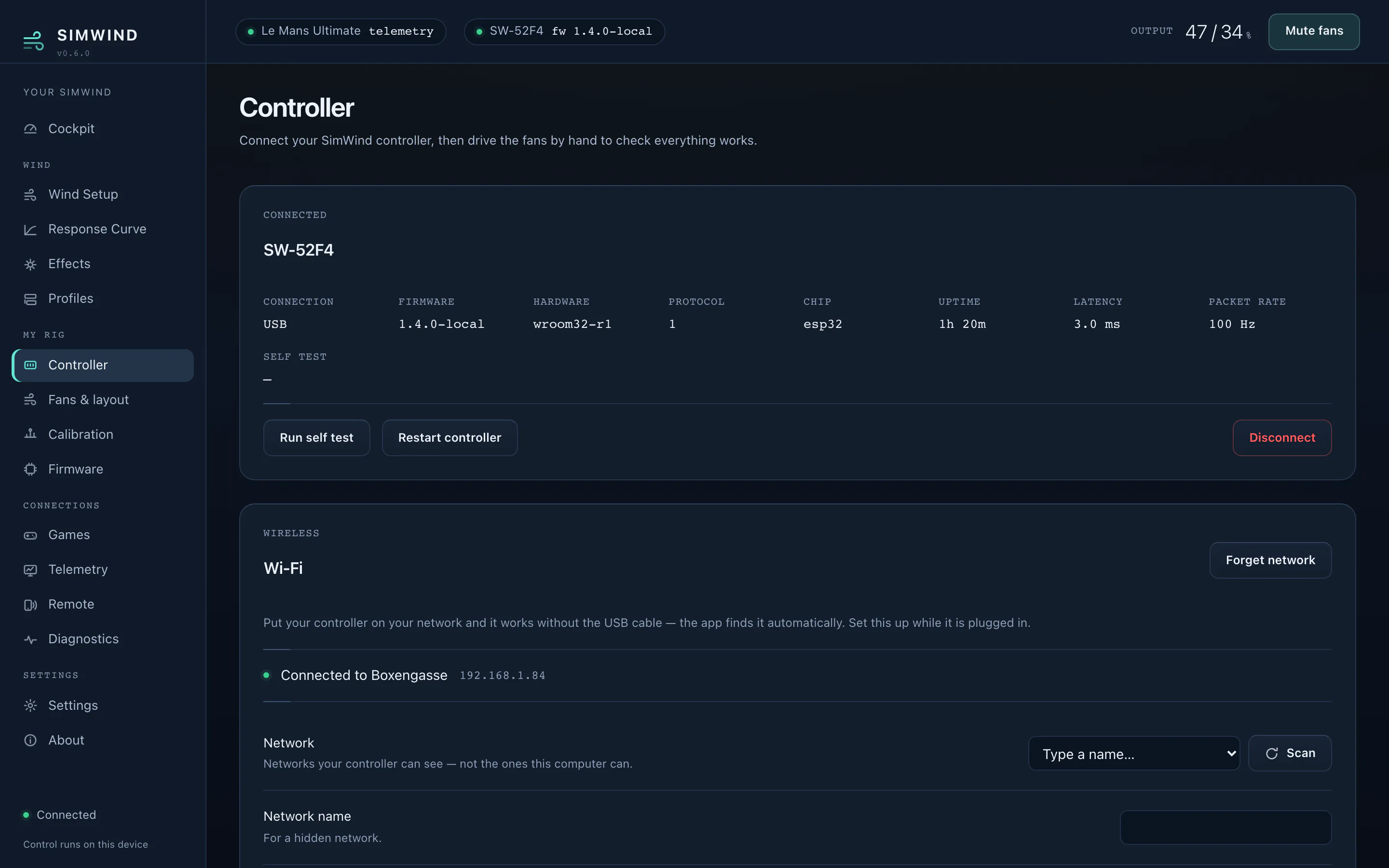
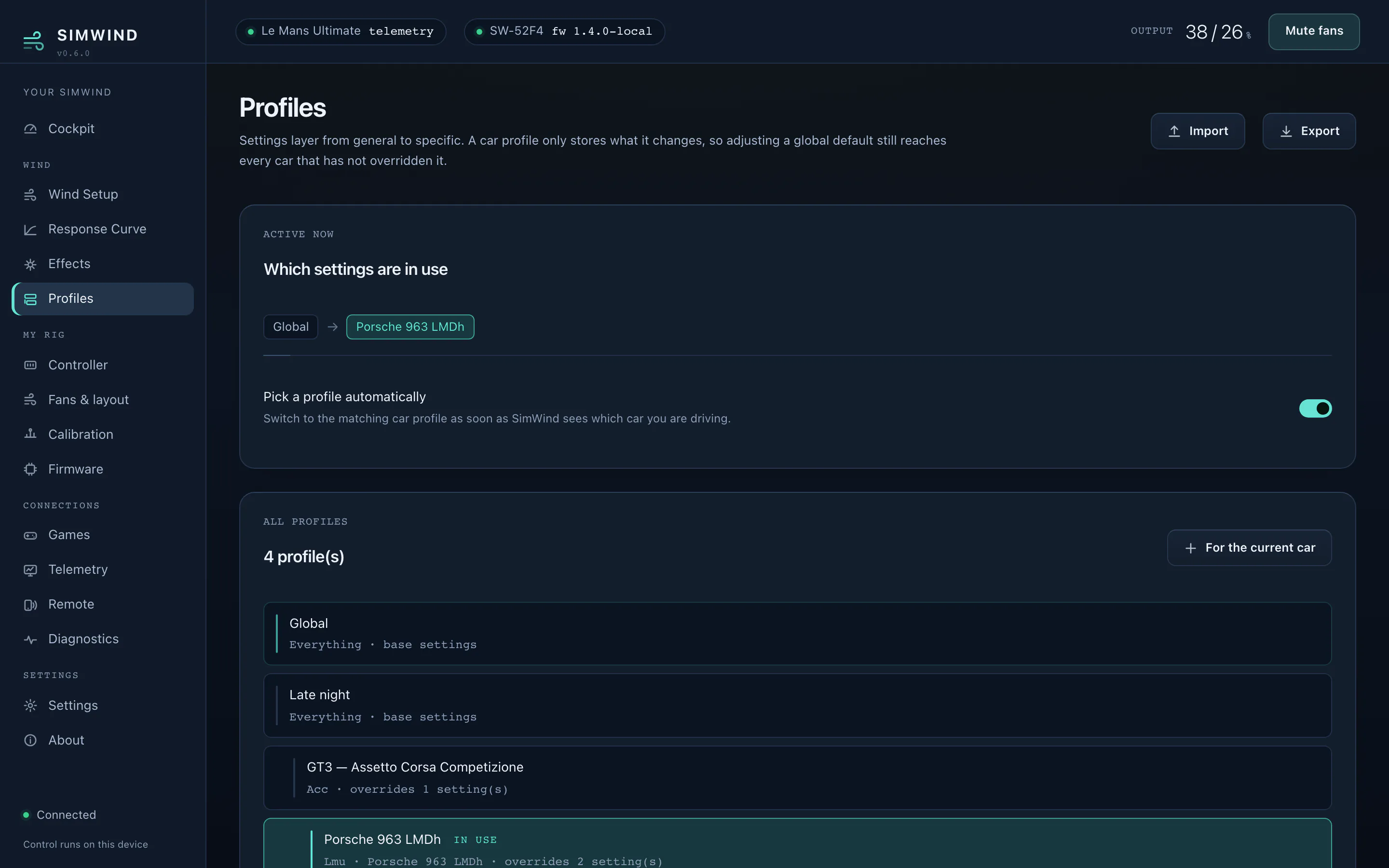
The app during a lap of Le Mans: the response curve, the wind setup, the effects and the controller, in about a minute.
Airflow, wired to the car.
Speed goes in, fan output comes out. Everything in between is yours to shape, and all of it is visible while it happens.
Your own response curve
Draw the relationship between speed and airflow by hand, or start from a preset for the class you race. The curve stays smooth between your points and never exceeds the maximum you set.
Rise and fall, tuned separately
Independent ramps for winding up and winding down, plus overshoot that gets a slow rotor to the target on time. Presets from direct to smooth, or every value by hand.
Directional wind
Lateral g, steering angle or a blend of both shifts the airflow across the cockpit as the car loads up. Optional, and off until you switch it on.
Effects, each one on its own switch
Acceleration gust, braking, shift pulse and DRS. Every effect shows exactly what it adds, so you can dial it in or leave it out.
Profiles that layer
A global baseline, then a game, a car and a track, each overriding only the values it sets. Switch car and the right setup is already loaded.
Safe by default
When telemetry stops, the fans ramp down instead of holding their last value. If the link to the controller drops, its own watchdog cuts the output.
From speed to airflow in four steps.
-
The simulator publishes speed
Live telemetry is read many times a second through the interface each simulator provides for it. Nothing is installed in the game and nothing is injected into it.
-
Your curve turns it into demand
The output you set at 130 km/h is the output you get at 130 km/h. Between your points the curve is smooth, and it never rises above your ceiling.
-
Ramps and overshoot shape the change
Rise fast, fall gently. While the output is changing, a little more than the target is requested so a slow rotor arrives on time.
-
The controller drives the fans
25 kHz PWM on up to six independent channels, with configurable fan positions and per-fan calibration.
Everything in view, nothing in the way.
One window for setup, tuning, the controller and its firmware. Dense where the numbers matter, quiet everywhere else.
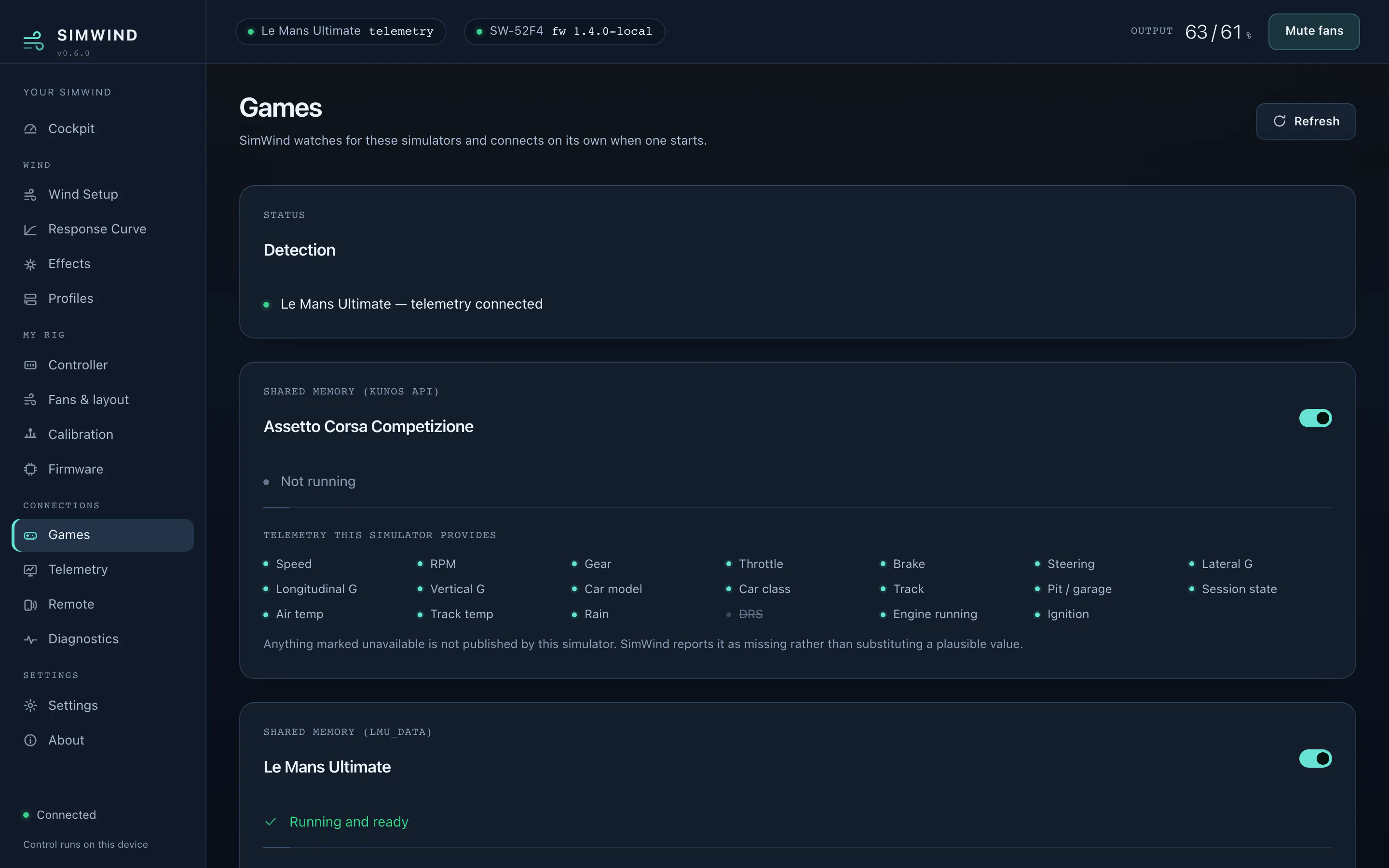
Three simulators. Two platforms.
Each simulator is read through the telemetry interface its developers provide. No screen reading, nothing injected into the game, and a game update does not break your wind.
One ESP32. Up to six fans.
Standard parts, no custom board. Any ESP32 development board and ordinary four-pin PC fans.
| Controller | Any ESP32 development board. |
|---|---|
| Fans | One to six independent 4-pin PWM channels. Daisy-chained fans share a channel. |
| Power | A 12 V supply sized for the connected fans. The controller never carries fan current. |
| Connection | USB, Bluetooth LE or Wi-Fi. Set the network up over USB, then unplug. |
| Output | 25 kHz PWM, the frequency the four-pin fan standard specifies. |
| Failsafe | The controller stops the fans by itself if the app goes quiet. |
| Firmware | Installed and updated from inside the app, over USB or wirelessly. Self-test and watchdog included. |
Get SimWind.
Free. Updates install from inside the app.
macOS
Apple silicon. Controller, tuning and firmware tool; pairs with a Windows PC for live telemetry.
Download for macOSController firmware
Installed from inside the app. Available here for anyone who prefers to flash it themselves.
Firmware feedRequires an ESP32 controller with at least one 4-pin fan. See Hardware.
This site sets no cookies, runs no analytics and loads nothing from third parties.
The app sends a short status report once a minute while it runs: a random installation ID, the app version, the platform, and the firmware version, hardware revision, channel count and connection type of a connected controller. It contains no names, addresses, network details or driving data, can be switched off in Settings, and is deleted 30 days after the last report.